Episode 3: Remote Access to the Desktop GUI
March 17, 2026
·2 min read
xs

After setting up the Mac mini and installing the basic tools, the next step is remote access.
For a homelab machine, I do not want to keep a monitor connected all the time. I want to access the desktop remotely when needed, especially for tasks that are easier in the GUI than in the terminal.
RustDesk
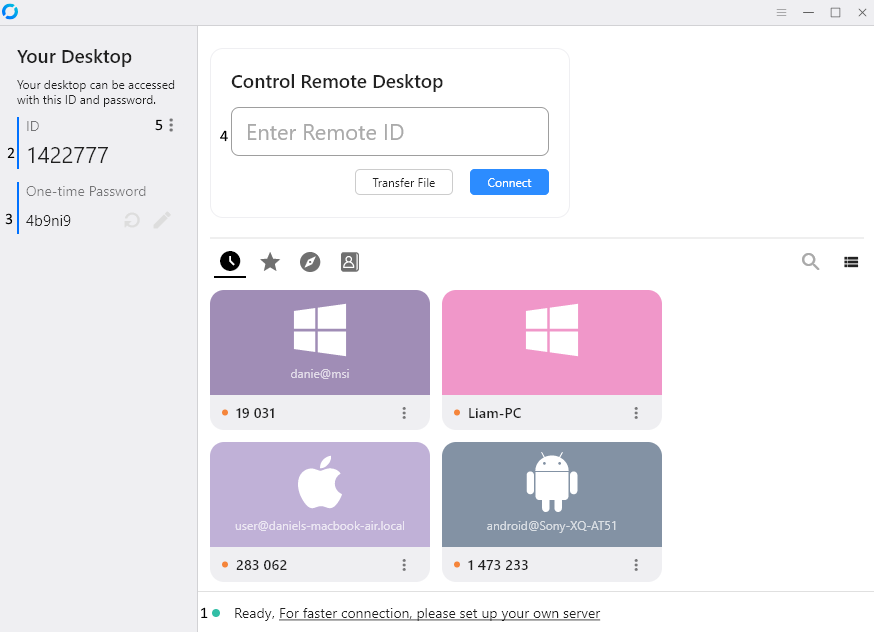
For remote desktop access, I use RustDesk.
The setup is simple:
- install RustDesk on both devices
- use the 9-digit RustDesk ID to connect
That is the method I recommend. It is simple, direct, and easy to use.
I also tried connecting in other ways, but on macOS, I ran into issues and ended up wasting a lot of time before going back to the basic setup. So for me, the simplest option was also the best one.
Tailscale

Guide: Tailscale-Rustdesk - 2025 July 10
Separately, I also use Tailscale.
Tailscale is not the remote desktop tool itself. Instead, it creates an easy private network between my devices. Once connected to the same tailnet, each device gets its own internal IP address.
This is useful for homelab access in general because it gives me a secure and simple way to reach my devices from anywhere.
In practice:
- Each device joins the same tailnet
- Each device gets its own Tailscale IP
- I can use that private network for homelab access
I mainly use RustDesk for the desktop GUI, while Tailscale helps connect my devices more easily overall.
I stopped using Tailscale when the homelab started to scale. I will tell why later on in the Journey.
Final Notes
This setup makes the Mac mini much easier to manage once it runs headless.
With remote desktop access working, I no longer need to keep a monitor attached just to change settings or open GUI apps. That makes the Mac mini much more practical as a homelab machine.
In the next episode, I will move on to the next step of the setup.
#homelab#macOS#remote access#RustDesk#Tailscale#VPN
Previous in Series Episode 2: macOS Package Manager — Homebrew
Next in SeriesEpisode 4: First Services with Docker: Immich & Jellyfin