Episode 1: Homelab Mac Mini Set Up
March 16, 2026
·3 min read
xs

This is the first step in my homelab series. Before installing anything, I want to make sure the Mac mini is set up properly for easier daily use.
Configuration
Mac mini
First setup requires a monitor
- You need a monitor connected to finish the initial macOS setup.
Another approach is to use headless HDMI, I don't recommend that if you have no experience using that.
Keyboard connection
- Wireless keyboard: press the power button
3times to pair it. - Wired keyboard: just plug it in with the USB-C connector.
Recommended Settings (After boot)
Wi-Fi
Go to: System Settings → Wi-Fi
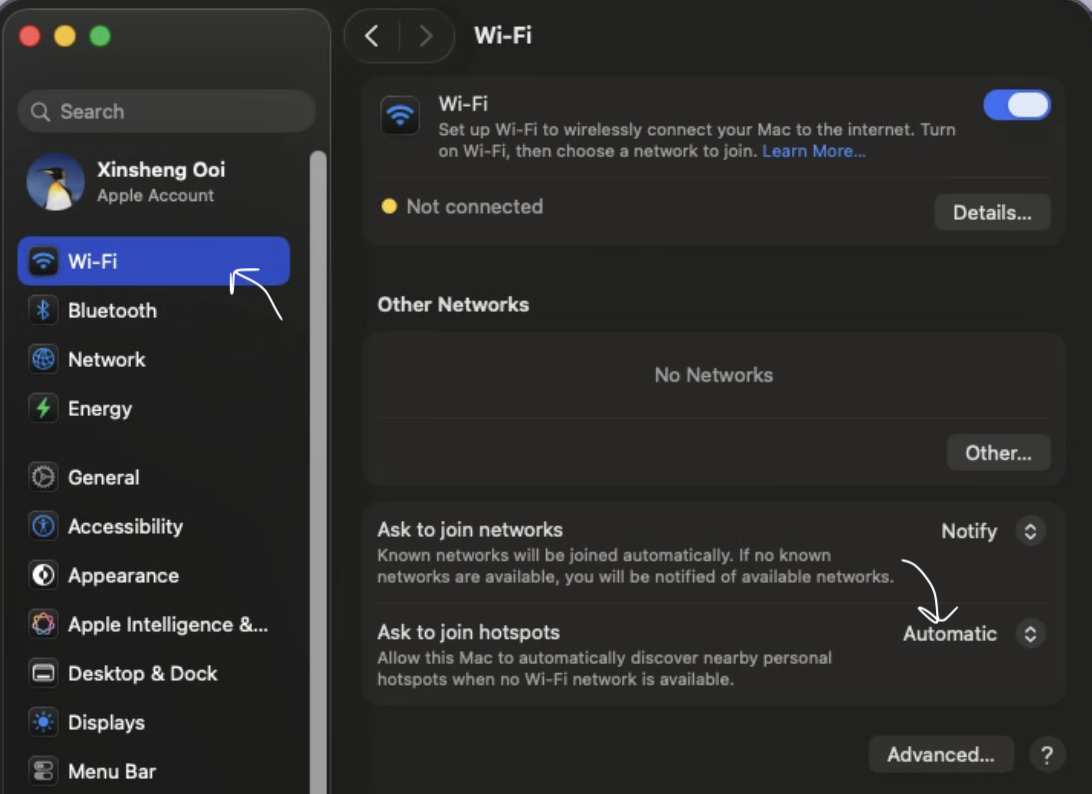
Scroll to the bottom and set:
- Ask to join hotspots → Automatically
Energy
Go to: Settings → Energy
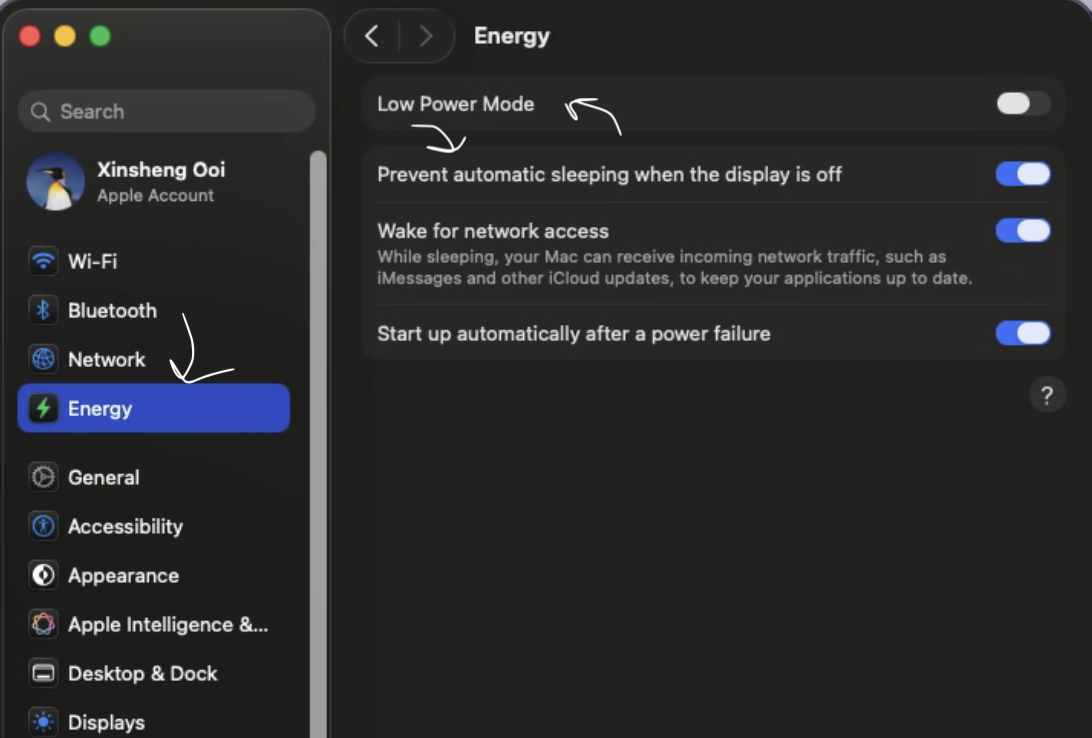
Set:
- Prevent auto sleep when the display is off → On
- Start up automatically after a power failure → On
These settings help the Mac mini stay available and recover automatically after a power outage.
Optional: Automatic Login
If you want to use the Mac mini without a monitor after the first setup, you can enable automatic login.
Go to: Settings → Users & Groups
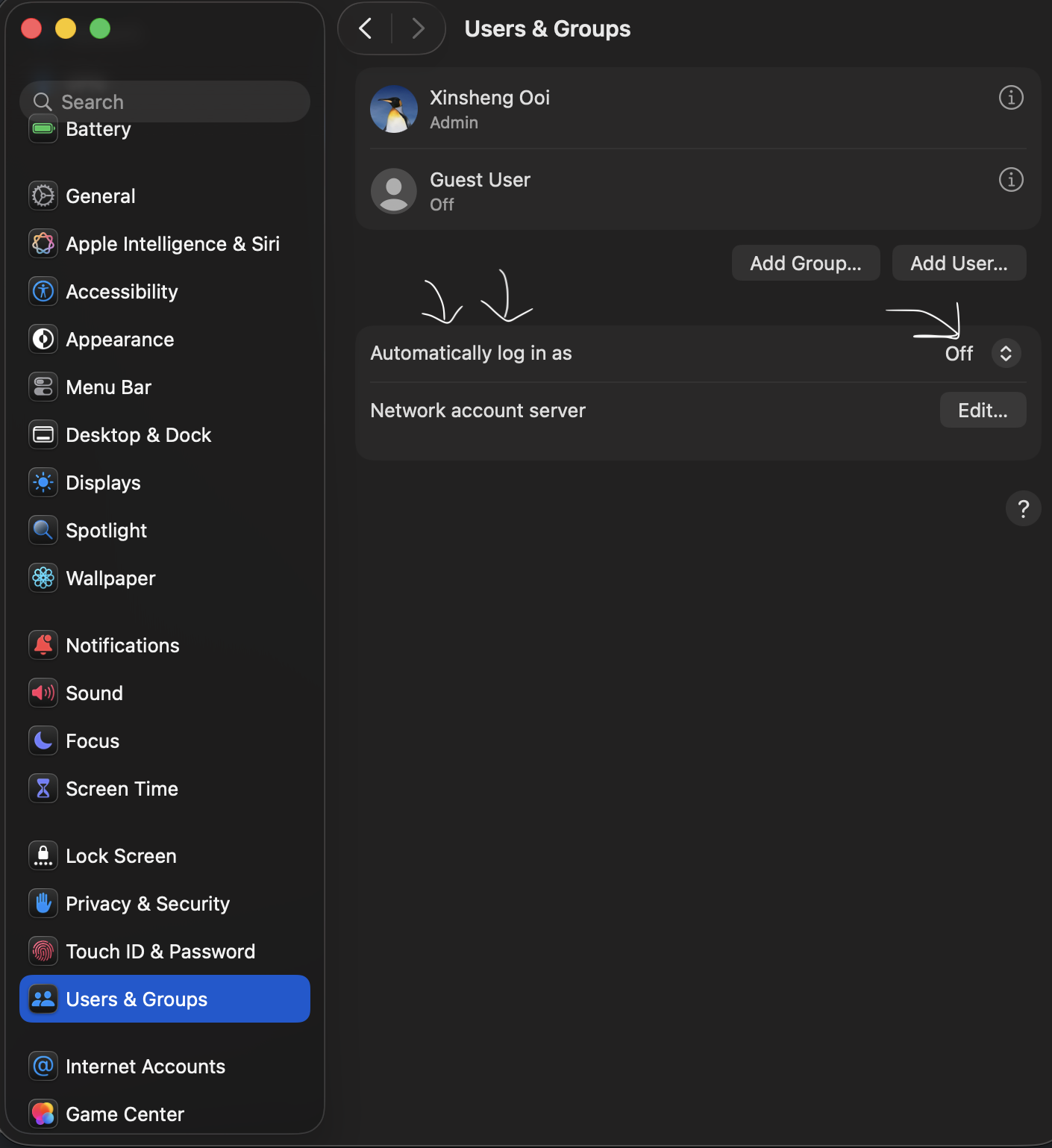
Set:
- Automatic login as → choose the administrator or the user you want
Note: If FileVault is enabled, automatic login may not work.
You may need to turn off FileVault encryption first if you want direct access without a screen.
Final Note
These are small changes, but they make the Mac mini much easier to use as a homelab machine.
#homelab#mac mini#self hosting#home server#macOS
Previous in Series My Homelab Journey: Why I Started Self-Hosting at Home
Next in SeriesEpisode 2: macOS Package Manager — Homebrew